
Sub-Total: ₱0.00


Bambu Lab AMS 2 Pro Upgrade Kit For X1/P1 Series Printer

In the Box
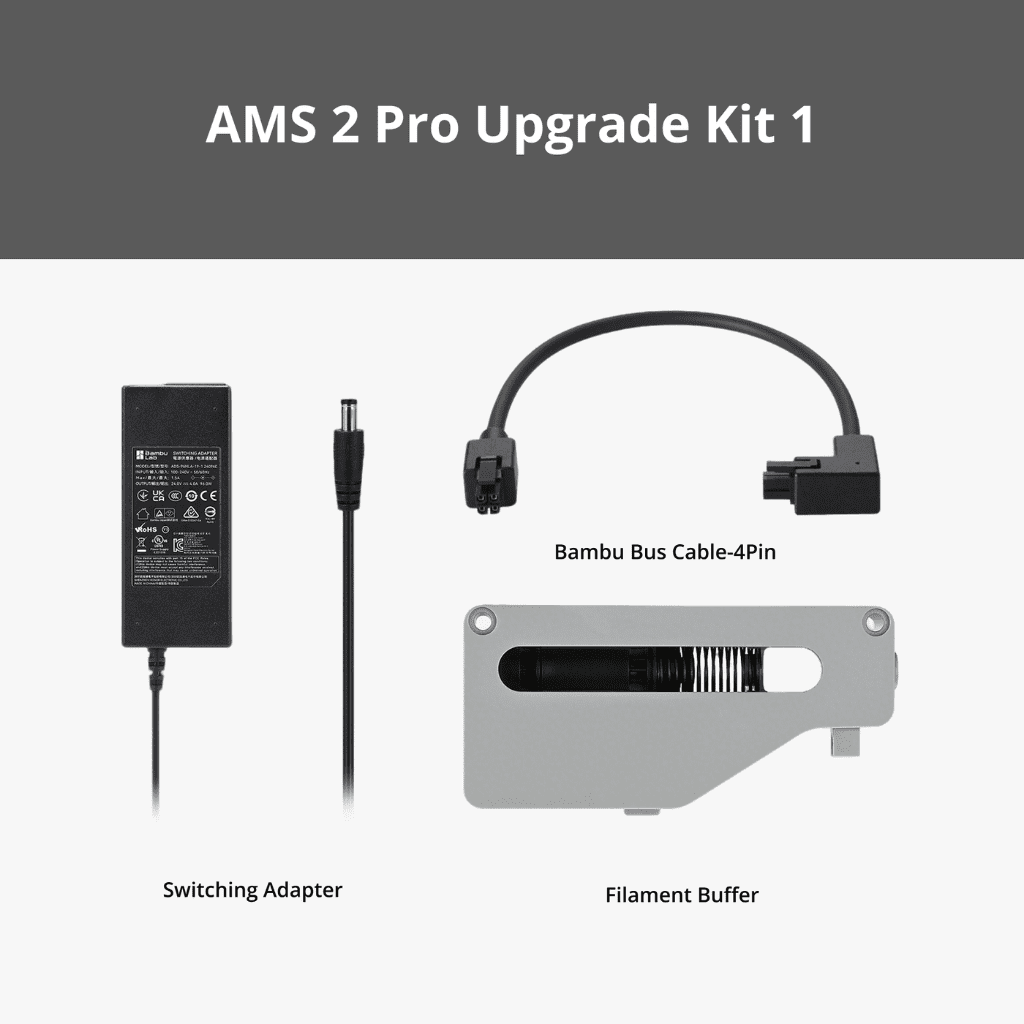
AMS 2 Pro Upgrade Kit 1:
– Filament Buffer *1
– Bambu Bus Cable – 4Pin *1
– AMS 2 Pro Switching Adapter *1
– PTFE Tube Coupler *3
– PTFE Tubes 370mm*1 + 550mm*2
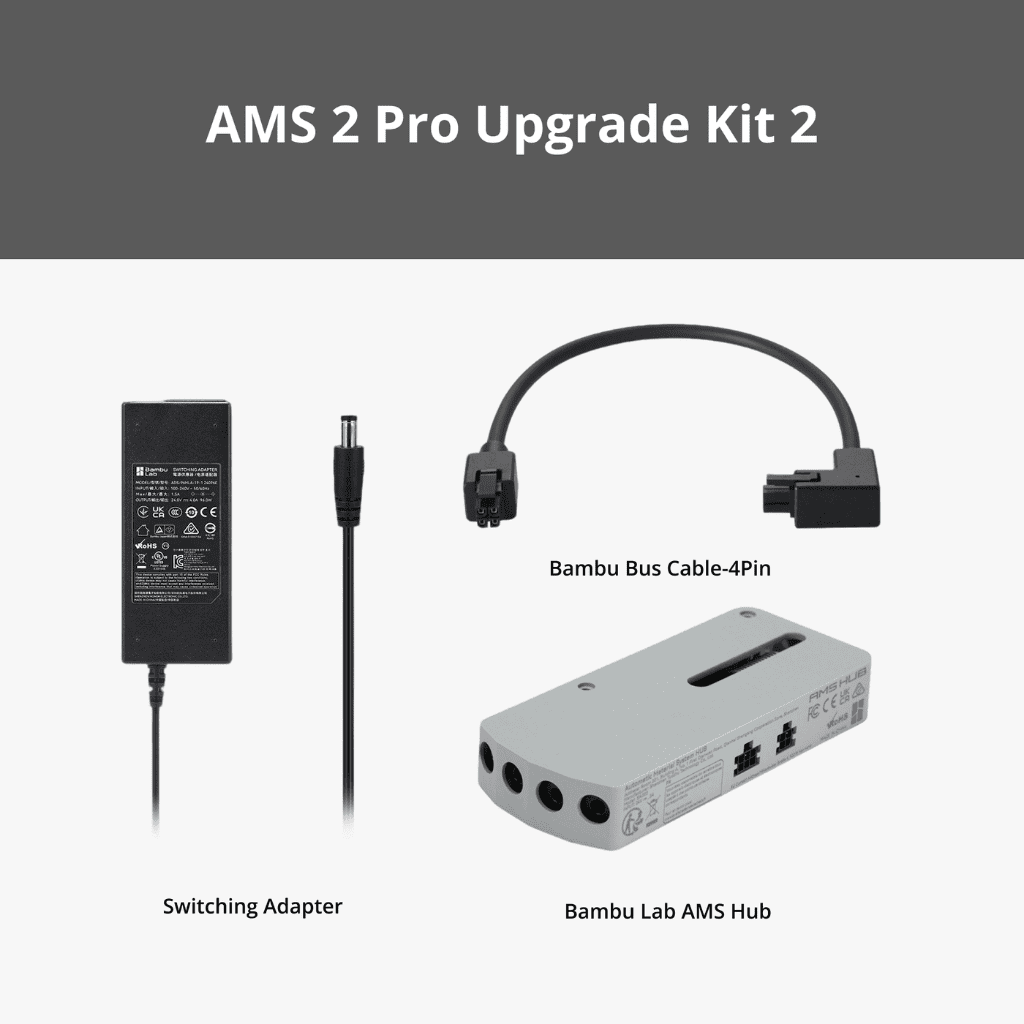
AMS 2 Pro Upgrade Kit 2:
– AMS Hub*1
– Bambu Bus Cable – 4Pin *1
– AMS 2 Pro Switching Adapter *1
– PTFE Tube Coupler *3
– PTFE Tubes 370mm*1 + 550mm*2
In Stock
Ships Tomorrow
Same Day Shipping
New
Includes Warranty
Price range: ₱4,695.00 through ₱6,895.00
Bambu Lab AMS 2 Pro Upgrade Kit For X1/P1 Series Printer
In the Box
AMS 2 Pro Upgrade Kit 1:
– Filament Buffer *1
– Bambu Bus Cable – 4Pin *1
– AMS 2 Pro Switching Adapter *1
– PTFE Tube Coupler *3
– PTFE Tubes 370mm*1 + 550mm*2
AMS 2 Pro Upgrade Kit 2:
– AMS Hub*1
– Bambu Bus Cable – 4Pin *1
– AMS 2 Pro Switching Adapter *1
– PTFE Tube Coupler *3
– PTFE Tubes 370mm*1 + 550mm*2
In Stock
Ships Tomorrow
Same Day Shipping
New
Includes Warranty
Price range: ₱4,695.00 through ₱6,895.00
AMS 2 Pro Upgrade Kit 1 with Filament Buffer:For X1/P1 printer owners that only plan to connect one AMS 2 Pro.
AMS 2 Pro Upgrade Kit 2 with AMS Hub:For X1/P1 printer owners that plan to connect more than one AMS 2 Pro.
In the Box
AMS 2 Pro Upgrade Kit 1:
– Filament Buffer *1
– Bambu Bus Cable – 4Pin *1
– AMS 2 Pro Switching Adapter *1
– PTFE Tube Coupler *1
– PTFE Tubes 370mm*1 + 550mm*1
AMS 2 Pro Upgrade Kit 2:
– AMS Hub*1
– Bambu Bus Cable – 4Pin *1
– AMS 2 Pro Switching Adapter *1
– PTFE Tube Coupler *1
– PTFE Tubes 370mm*1 + 550mm*1
For X1/P1 Series Printer:
1. Drying Function Requirement:
– A power adapter must be used when enabling the drying function to ensure sufficient power.
2. Connecting multiple AMS 2 Pro units together:
– If the drying function is enabled for multiple units, each AMS 2 Pro requires its own Switching Adapter.
3. Non-Drying Function Use:
– The Switching Adapter can be omitted if the drying function is not used.
Notes:
1. For H2D Printer:
– You can directly connect multiple AMS 2 Pro units using the 6-pin cable.
2. For X1/P1 Series Printer:
– If you plan to connect multiple AMS 2 Pro units together, you will need to purchase the AMS 2 Pro Upgrade Kit 2 (with AMS Hub inside)
– The AMS 2 Pro is compatible with X1/P1 series printers for multi-material printing.
– You need to use the 6-pin cable included in the AMS 2 Pro package to connect the AMS Hub/Filament Buffer to the H2D Printer. The 6-pin cable included with the AMS Hub is designed exclusively for the AMS ONLY.